Assigning, resolving and approving incidents
Hand the fault to a supplier, follow the work and approve the hours worked.
When a resident reports a fault, the property manager and the board are the ones who move it forward: they decide whether it stands, assign it to a supplier and approve the work once it is finished.
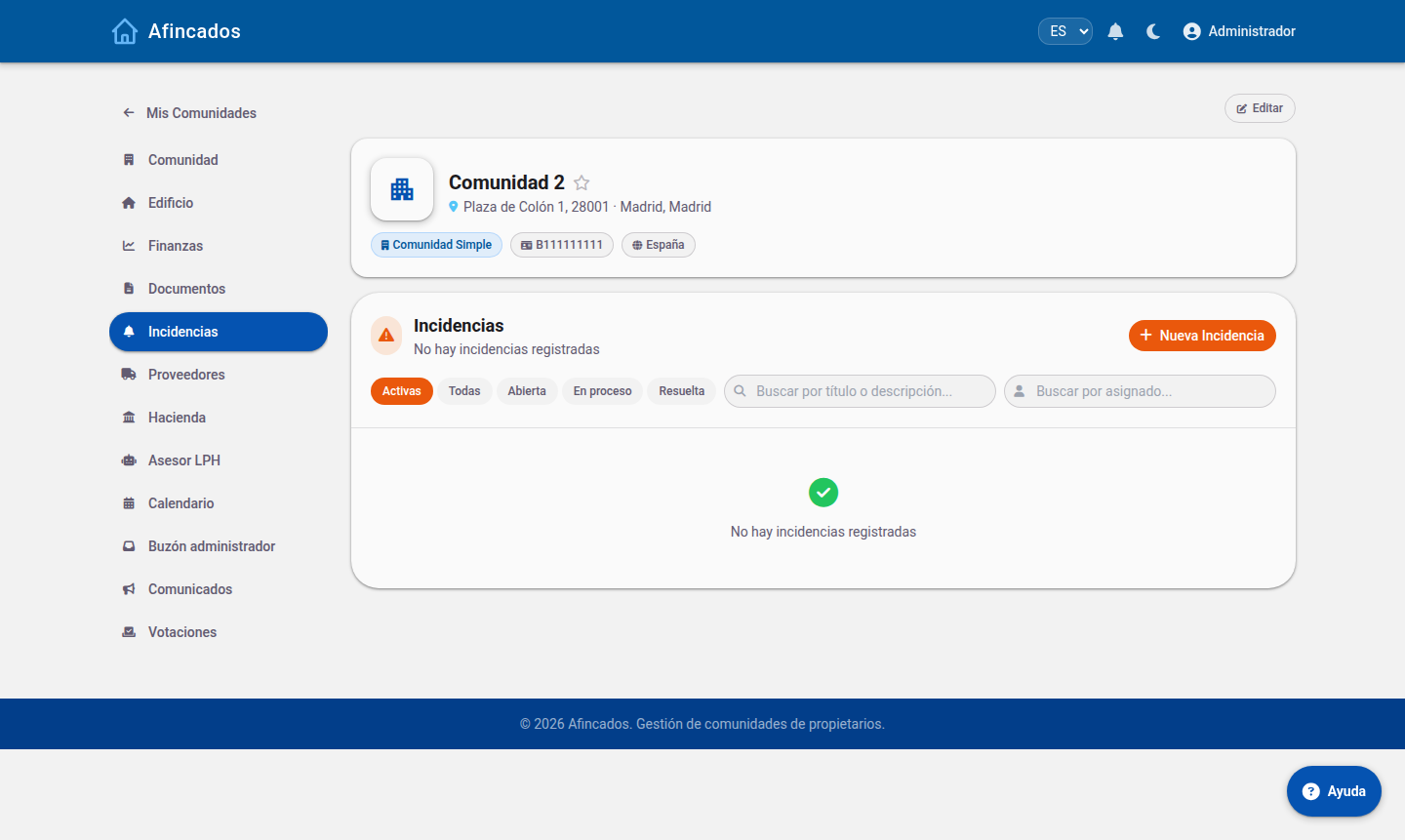
Seeing the open incidents
The community Incidents tab shows all the incidents for that community. If you manage several, the All incidents view shows those of every community you manage on a single screen, so you can prioritise by urgency rather than by community.
You can search and filter by status, category or date.
Assigning to a supplier
- Open the incident.
- Click Assign.
- Select the supplier from the community list. If the supplier has workers registered, you can assign it directly to a specific worker.
- Add instructions if needed and confirm.
The supplier receives an alert with the description, the photos and the location (including its position on the 3D model, if the resident marked it). The incident moves to Assigned and the resident who reported it is notified.
To change supplier, click Assign again and pick another one: the incident is reassigned without losing its history or its comments.
Resolving and closing
When the work is done, open the incident and click Resolve. Add a closing note explaining what was done: this is what the resident sees and what stays in the community history.
If the fault comes back, it is better to reopen the existing incident than to create a new one, so it is clear the problem is recurring.
Approving work logs
Workers record the hours they spend on each incident. Those work logs sit awaiting your approval before they can be invoiced.
- Open Pending work logs in the community.
- Review each sheet: who worked, on which incident, how many hours and what they did.
- Click Approve if it is correct, or reject it stating the reason if the hours do not match the work done.
The work log report gives you the total hours per supplier and period, useful for checking an invoice before paying it.
Deleting an incident
Only duplicate incidents or ones created by mistake should be deleted. A genuine fault, even one that never gets repaired, is better closed with an explanatory note: the incident history is valuable information when you have to justify a levy or negotiate with a supplier.