Community documents
Browse minutes, budgets and contracts, and upload new documentation.
The Documents tab is the community archive: minutes, bylaws, budgets, supplier contracts, insurance policies and any other paperwork that should be available to residents.
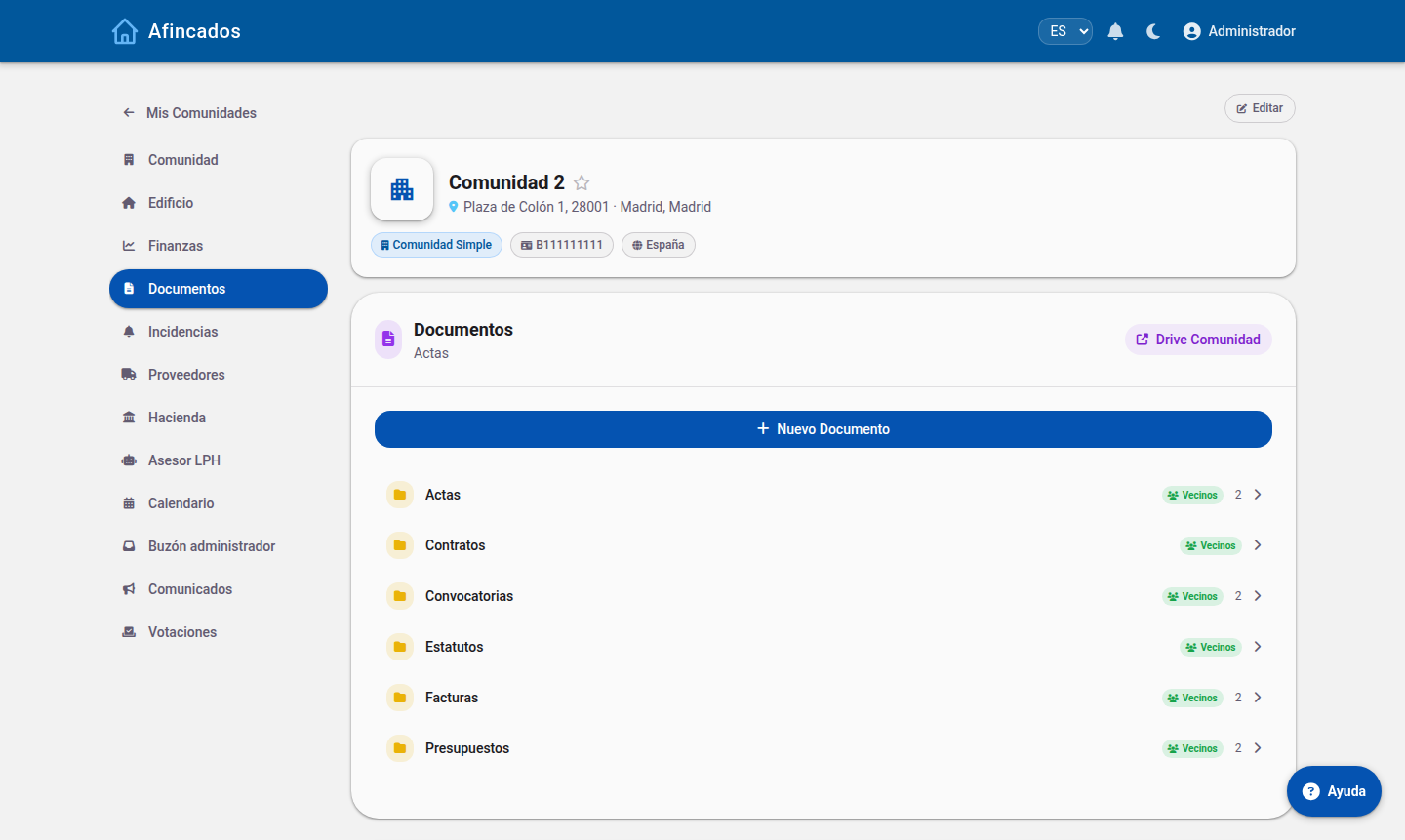
Browsing and downloading
Every user in the community can see the document list and download from it. Each document shows its name, its date and who uploaded it. Use the search box to find a specific one by name.
The minutes of meetings are published here automatically as soon as they are signed, so this is where to look up the decisions taken at past meetings.
Uploading a document
Only the property manager and board members can add documents.
- Open the community Documents tab.
- Click Upload document.
- Choose the file from your computer. PDFs, images and office documents are supported.
- Give it a descriptive name: this is what residents will see and search for.
- Save.
Residents receive a notification whenever a new document is published.
Deleting a document
You can delete a document from its menu. Bear in mind the action cannot be undone and the document will no longer be available to any resident, so think twice before removing a set of minutes or a contract still in force.
Recommendations
- Use names that include the year: "Budget 2026" is far easier to find than "Budget".
- Upload documents as PDF whenever you can: every resident will be able to open them without extra software.
- Do not upload documents holding third-party personal data that should not be public within the community.